
I used to learn Python, but I had been working on a Java Spring web project until recently, so I forgot a lot.
I learned this time and it came to me fresh.
So I'm writing this post again to make sure I review it.
Ⅰ. Overview
It is important to think about what you will do with Python and how you will use it.
ProgramsThere are many software on computers and smartphones, including YouTube, messaging, phone calls, and KakaoTalk. Programmeris Programming languages (C, C++, C#, Java, Python, Javascript, etc.)use to create programs. Programming languages Compiler languageAnd Scripting languagesThere is. Pythonis free and open source, and it is easy to use with a wide range of powerful external libraries. Python VariablesIt is a concept that is difficult to remember the address value (memory space) where data is stored. Although various rules can be applied when specifying variable names, the first number cannot be used, '_' (underscore) can be used, and reserved words cannot be used. The print() function can output the result of a specific logic in Python, and the input() function can receive values (data) from the user. OperatorThere are four main types of operators: arithmetic, assignment, comparison, and logical. Each operator has a precedence, just like in other programming languages. Data typeThis They exist, but type conversions are performed automatically and are not explicitly declared. Data types include numbers, strings, and booleans. Strings have useful functions such as len(), upper(), lower(), isupper(), islower(), count(), and find(), among many others.
Ⅱ. Programming Languages and Python
What is a programming language?
The program Software, application, app, applicationIt is the same term. In programming languages, programmers create programs. The types of programs created include YouTube, messages, phone calls, KakaoTalk, Excel, Hangul, Chrome, and Notepad. Programming languages are languages that computers can understand, just like the Korean language we use to communicate. Compiler languageAnd Scripting languagesWe can distinguish between the compiler language and the compilation process, which is the process of translating the source code written by the programmer into machine language. compiled files (*.exe, *.class, etc.)You can run the program and the most common languages are C, C++, Java, C# There are others.
The scripting language is Interpreter languagesIt is called a scripting language and executes source code line by line without a separate compilation process. Python, JavaScript, Perl There are others. Compilation processTo explain it more specifically, computers can read binary files written in machine language, which consists of 0s and 1s. The source code written by programmers is a language that humans can understand. ASCII codeSo, scripting languages that don't require compilation are easy to modify, but compilers are difficult to modify even when opening the executable file, and instead, they run faster than scripting languages. Scripting languages are translated into human-readable languages, but compiler languages are faster to process because they execute machine code files directly through the compilation process. In particular, while there used to be a big difference in handling large amounts of data, recent advances in hardware have made scripting languages fast enough to be used.
What is Python?
Python is a scripting language developed by programmer Guido van Rossum. It currently ranks first in usage as of 2023.
Advantages of PythonIt is free and open source, and offers easy-to-use, diverse, and powerful external library functionality. It is also powerful in web development environments. DisadvantagesBecause it is a scripting language, it is slower to run than other languages, lacks support for mobile computing, and is not easy to use when it comes to hardware control. Recent powerful features of the libraryBecause it is easy to combine and utilize multiple data (broadly), it is covered in many areas with disadvantages, making it difficult to feel. There are many libraries in the field of mobile computing, particularly in the area of hardware control, and it is better to think of them as weaknesses rather than disadvantages compared to other languages. And there are many libraries available in cloud security operations.
The reason why Python is used in the field of cloud computing technology and cloud security monitoring is that it can perform the tasks required for the job. AutomationIt is easy to create programs, and it is excellent for creating and using individual automation programs without the need to develop and distribute specific programs. Because it is a language we can understand, It is easy to modify and highly portable, and code writing is more concise and easier than in compiler languages. There Powerful external libraries available That’s why Python is easy to use in cloud security operations automation programs and for performing tasks.
Using Python
It was a hands-on practice where we wrote actual code and used Python.
The above description is intended to summarize the theoretical aspects and is written in the form of a report or paper.
IDLE and Windows commands, NotepadWe used it, but later we implemented server management. Linux environmentBecause it uses it, it helps to get familiar with it beforehand. Tools like PyCharmWe did not use it.
There are many other great posts on this topic, so I recommend checking them out! 😉
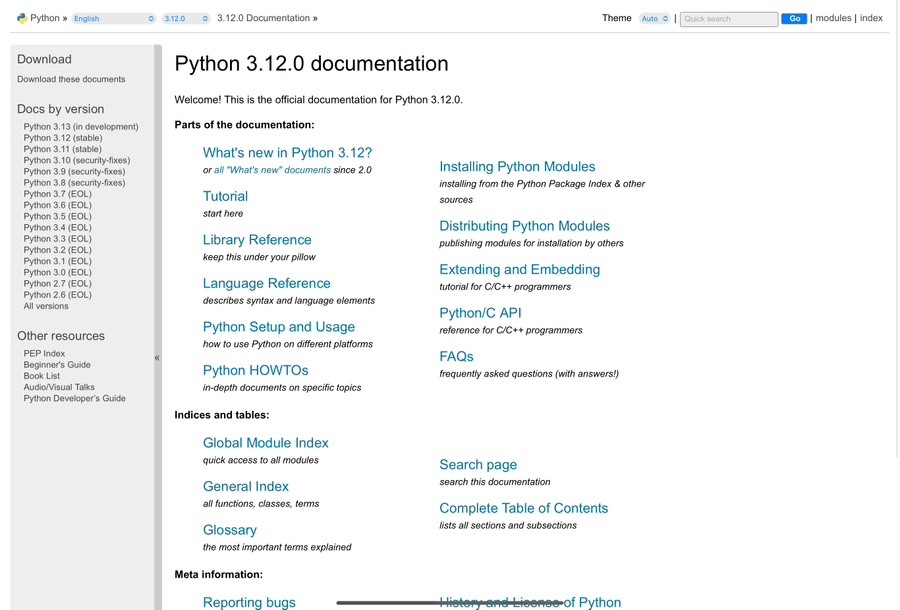
If you click here, you can see a detailed explanation of various functions in Python!!!
Ⅲ. Python variables and print(), input(), int()
What is a variable?
the computer Memory spaceIt is a space for storing values. For a simple example, food is the data, and a variable is the container that holds the food.
a = 100
b = 200
Unlike the linear equations we learned as children, when declaring a variable, the left side is the variable name and the right side is the value to be assigned. Unlike other languages, we will discuss Python's features related to variables later. Data typeThere is no need to declare it. Simply use the variable name and the assignment operator (=) to assign the value. Automatic type conversion I'll do it.
Data types are very important in programming languages because each data type requires different memory space on the computer.
So, for example, languages like C and Java have data types.
You always have to specify!!
And variables can not only be assigned values, but also the results of arithmetic operations such as +, -, *, and /. We will discuss this in more detail later in the section on operators. Also, when declaring a variable, there is a feature unique to Python.
a, b, c = 1, 2, 3
list = 1, 2, 3, 4
variable = "안녕"
variable = "난 파이썬"
If you declare this code at the top, it will assign 1, 2, and 3 to a, b, and c, respectively. If you declare it like the list variable, ArrayIt is!
※ Arrays are really important in coding, so please look forward to the next post on that topic!
If you declare a variable like a variable, the last value assigned will remain, and the previous values will be initialized! So if you want to use both "Hello" and "I am Python" data, it is better to declare different variables or use "Hello" before assigning "I am Python".
2. Naming variables
Variable names are by default English and numbersUse the. However, the important thing here is that you can't start with numbers!
And in Python, variable names are '_(underscore)'You can use '_' at the beginning or anywhere else. It is a valid variable name. ReservationsThe reserved word cannot be used Words that are already defined in the Python syntaxThat is.
True | False | None | if | elif |
else | continue | pass | finally | def |
for | while | with | try | except |
break | class | return | import | as |
There are many different types of reserved words, and you will learn about them as you become more familiar with coding without having to memorize them.
There is no length limit for variable names, but it is good to make the data easy to understand for a good variable name, and it is also good to set your own rules using '_', upper and lower case, and numbers. It is better if the variable name can be understood immediately and is short. For example,
phone = 01012345678
name = "홍길동"

def move():
def is used to declare a function, which we'll cover later, but it's important to name functions just like variables, and it's also good to use verbs!
So, let's think about how to name variables based on classes, functions, and data later! 😊
※ In Python, it is unusual that you can declare an existing function name as a variable name. However, when you declare it as a variable, the variable name takes precedence over the function name, and the function loses its original role. Since it is a built-in Python function, it will work normally again when it is re-executed, but it is not recommended to declare an existing function name as a variable name!
3. print(), input(), int()
print(), input(), int()is the Python you encounter when you first learn Python. Built-in functionsThese are functions that are pre-built by Python language developers to perform specific tasks. We will discuss functions in more detail later, but to put it simply, they are similar to functions in mathematics that we learned as children. Some people may have hated mathematics, but For example, there is a magic box, and the magic box operates in a specific way. If you put a specific value (x) into the magic box, there is an output (return). This is the basic way a function works, and x and return can be declared as variables. If you put an apple (x) in the magic box, it will become three apples (return).
print() is a function that handles output. input() is a function that directly receives data from the keyboard. int() converts the input value or a specific value into an integer. Here's the code:
print("Hello, World!")
출력값: Hello, World
input("입력해주세요")
안녕하세요
입력값: 안녕하세요
int(3.14)
바뀐값: 3
Basically, this can be used in this way. The data that you want to output, input, or change is placed inside the parentheses preceding print, input, and int. This data is called an argument, and the print() function can have more than one argument.
print("난")
print("파이썬")
print("열심히 해보자구")
결과 =>
난
파이썬
열심히 해보자구

print("난", end="")
print("파이썬", end="")
print("열심히 해보자구", end="")
결과 => 난파이썬열심히 해보자구
The reason for this result is the last end argument. Even if you don't explicitly specify that end argument, it will automatically insert a newline. The newline is the escape character \n, and by removing the default value of end="\n", it prevents the newline from being inserted, resulting in the above output. EscapeThis will be discussed in more detail later.
The input() function waits until the user enters a specific value when the code is executed. int() converts floating-point and string values to integers and can be used similarly to the input() function.
num = int(input("정수를 입력해주세요"))
입력 대기...
1234
입력값 => 1234
You can declare the input value as a variable to use it directly, and you can include a prompt message in the parentheses of the input() function to instruct the user to enter a value. However, it is important to note that if you enter a string (e.g. abc) or a floating-point number (2.1234) that cannot be converted to an integer, the int() function cannot convert it to an integer. Also, as in the example above, explicitly passing errors to the int() function can be converted to integers.
IV. Python operators
In fact, there are many well-organized resources related to operators.
So in this article, we'll just summarize what operators there are and move on.
Arithmetic operators
+ , - , * , / => It is an addition, subtraction, multiplication, and division operator. It is similar to the arithmetic operations in ordinary mathematics.
a = 10
b = 20
a + b 결과 => 30
a - b 결과 => -10
a * b 결과 => 200
a / b 결과 => 0.5
The interesting thing to note here is that, as discussed earlier in the variables section, Python automatically performs type conversion on data, so the result of dividing integers is converted to a floating-point value.
Different from regular arithmetic operations: //, %, **> There are division (fraction), remainder, and square operators.
a = 8
b = 5
a // b 결과 => 1
a % b 결과 => 3
a ** b 결과 => 32768
// The operator returns the quotient when dividing. % returns the remainder after division. ** squares the number in front by the number in back. In the example above, if the number in front is 8 and the number in back is 5, it squares 8 five times.
2. Assignment operators (composite assignment operators)
The common assignment operator is '='. It is also worth noting that there are compound assignment operators, which include
+= | num += 10 | num = num + 10 |
-= | num -= 10 | num = num - 10 |
*= | num *= 10 | num = num * 10 |
/= | num /= 10 | num = num / 10 |
//= | num //= 10 | num = num // 10 |
%= | num %= 10 | num = num % 10 |
**= | num **= 10 | num = num ** 10 |
This is how it works. Since Python variables are re-assigned with the same name, if a variable named num has a value of 10, you can use that value directly to perform the operation and then assign it back to the num variable.
3. Comparison operators, logical operators
Comparison operators and logical operators are summarized in a table at once.
Operator | Meaning | Description |
== | is the same | If the two values are equal, the result is True |
!= | It is not the same | If the two values are different, the result is True |
> | Big | If the left is greater, return True |
< | Small | If the left is small, return True |
>= | is greater than or equal to | If the left is greater than or equal to, return True |
<= | is equal to or less than | If the left value is smaller or equal, return True |
Operator | Meaning | Description | Usage examples |
and | And | Both must be true to be true | (No. > 10) and (num < 20) |
or | Or | If either of them is true, it is true. | (num == 10) or (num == 20) |
not | Denial | True if false, false if true | not(num < 100) |
This is an operator that is used in this way and returns True or False. It is useful, as we will discuss later, in conjunction with if, elif, and else.
There is an operator precedence, and since this process is related to cloud security monitoring rather than developing and deploying a specific program in Python, you can learn it by trying it out. And since parentheses, which have the highest precedence, are used frequently, it is enough to know only the parentheses. Priority is all about deciding which operation to perform first, so using parentheses in your code is a great way to do that! Just make sure you understand that!
※ Tip: The increment and decrement operators i++, i-- that exist in Java, C, and other languages do not exist in Python!
V. Python Data Types
Data types refer to the type of variable. There are four basic types: Integer, floating-point, character, and Boolean typesThere are integer and float types, which represent the concepts of integers and floating-point numbers in mathematics, and string types, which represent characters, and boolean types, which represent True and False. There is a function to check these data types, called type().
a = 10
b = 1.2
c = "파이썬"
d = True
print(type(a))
결과 class 'int'
print(type(b))
결과 class 'float'
print(type(c))
결과 class 'str'
print(type(d))
결과 class 'bool'
You can check this.
Again, Python is Data types are automatically convertedOther languages need to do the type conversion themselves. Type CastingWhen automatically converting data, it follows the larger data type. Other data types are important, but the base data type for exchanging data on the web is a string. There are many built-in functions for strings. len(), upper(), lower(), isupper(), islower(), count(), find(), etc.There are many other escape characters, and Python requires either double or single quotes when declaring a string. In addition to the \n escape character that we discussed in the print() function, there are also \t for a tab, \b for a backspace, and so on. There are characters that have specific meanings. What if you want to use double or single quotes as regular characters?
print("\"")
결과 => "
print('\'')
결과 => '
It can be used in this way. \ - The backslash can be attached to meaningless n, t, b to give it meaning, or it can be attached to the quotation mark to remove its original meaning.
The useful string functions above can be learned quickly by using them directly, and they are already well-organized, so let's briefly explain them.
len("hello")
결과 => 5

str = "abc"
str.upper()
결과 => ABC

str = "ABC"
str.lower()
결과 => abc

str = "ABC"
str.isupper()
결과 => True

str = "abc"
str.islower()
결과 => True

str = "안녕, 난 파이썬이야. 예전에 배웠지만 이번에 다시 파이썬 복습하고 있어"
str.count("파이썬")
결과 => 2

str = "완전 처음 파이썬"
str.find("완전")
결과 => 0
It is used in this way. len() returns the length of a string, upper() converts to uppercase, lower() converts to lowercase, isupper() returns True or False if the character is uppercase, islower() returns True or False if the character is lowercase, count() returns the number of times a specific character appears in a string variable, and find() returns the position of a specific character in a string variable. If the find() function does not find the character you are looking for, it returns -1.
Reviews
Since this was the first class, a lot of theoretical knowledge about the basics of Python was covered. It was nice to be able to recall the parts I had learned before but had forgotten. And by posting on the blog for such a long time and reviewing them, I was able to remember them clearly. Actually, the theoretical part is a bit boring 🥲 But I’m very excited to see that we will be practicing coding and creating games soon. 😃