
I studied Python in succession, and I enjoyed playing various games as I progressed through conditional statements and loops.
Even if the games were the same, it was especially nice to be able to think about algorithms this time, instead of just writing code. 😌
Ⅰ. Overview
To understand conditional statements in Python sequential structure, selective structure, iterative structureYou need to know about sequential structure. 'Like water flowing from above to below, one after another'And the choice structure divides the branching point 'Flowing in a different direction when certain conditions are met'A repetition structure is one that repeats a specific action, whether from the beginning to the end or through an intermediate process. if ~ else, if ~ elif ~ else, nested ifThere is. A loop is a statement that repeats a specific part a certain number of times. for and while, nested for/while Use the structure.
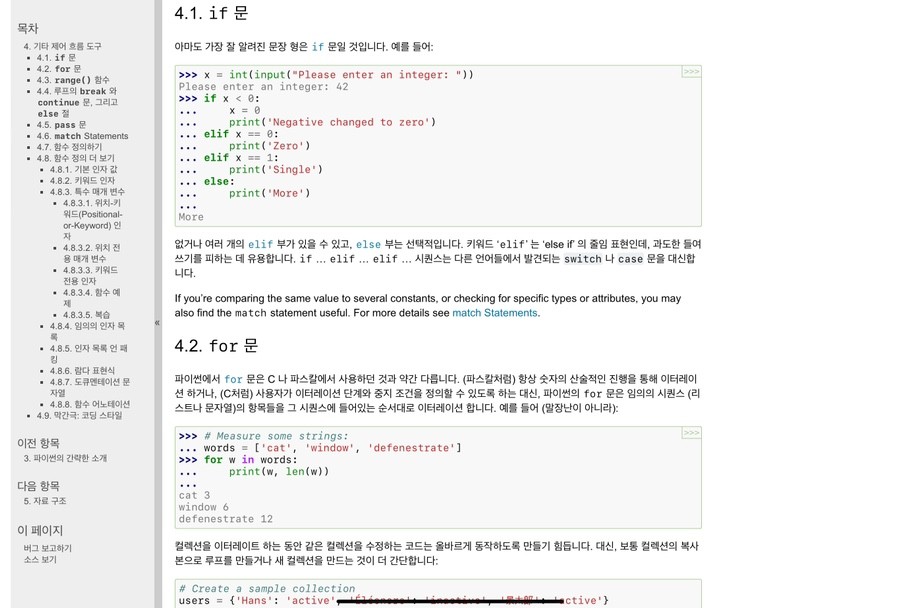
Check out the following site for more information on conditionals and loops.
Ⅱ. Python Conditional Statements
To understand conditional statements, you need to understand sequential structures, selection structures, and iteration structures. Sequential structureis SequentialThe meaning of the English word, as defined in the Korean dictionary
Follow the order.
Source: Standard Korean Dictionary
A structure in which each step is executed in order, from start to finishIt is the simplest but most commonly used structure. It is easy to understand if you think of a waterfall flowing from the top down! For a real-life example, let’s think about what you do when you come home late at night and until you go to bed, such as taking a shower, writing in a diary, doing laundry, and cleaning up.
Selection structurein either of the two cases One is chosen and the process proceeds in that direction.It means that. It's easy to understand if we think about which path to choose at a crossroads while hiking. Recursive structureis a specific step Run it multiple timesIt’s a repetitive structure, too, in that I always watch YouTube before bed at home.
When it comes to coding Conditional statements are essential and must be understood and mastered.It is widely used and can be used to create a variety of operating structure programs through conditional statements. Conditional statements were used extensively when learning English in the past. Family lawIt's good to think about. Before you make a choice at the crossroads of having a choice structure 'If certain conditions arise, I will choose this path.'It works according to the statement "If this, then that." So it's a conditional statement, and in a real-life example, when choosing which cafe to go to with a friend, the conditions might be that the place is spacious or that the coffee is delicious.
The simplest conditional statement in Python is ifOnly when used alone.
score = 100

if score > 90 :
    print("A학점입니다.")
As in the example above, the if statement is used alone, and the condition is placed between the if and the ':' (colon). The code within the if statement is executed only when the condition matches (true).
Secondly if ~ else There is a sentence.
score = 80

if score > 90 :
    print("A학점입니다.")
else :
    print("F학점입니다.")
At first glance, it looks like only the else statement has been added, but the way it works is that when the if condition is not met (true), the code in the else statement is executed. Here is a tip I have learned from studying coding so far:
※ As will be described below, it is necessary to think carefully about using the if ~ else construct. If the condition in the if statement is not clear, the else statement will work, which can cause the program to behave unexpectedly.
Thirdly if ~ elif ~ else There is a sentence.
score = 60

if score > 90 :
    print("A학점입니다.")
elif score > 80 :
    print("B학점입니다.")
else :
    print("F학점입니다.")
Unlike other languages, Python switch ~ case syntaxTo briefly explain the switch ~ case syntax, after the switch comes a condition, and depending on the condition, caseAfter distinguishing a particular operation, it executes that operation. For more details, we recommend that you study Java and C languages.
elif is a form of the if and else statements that adds an additional condition. The elif condition is compared to see if it is true when the if condition is false. If the elif condition is true, the code within the statement is executed; otherwise, the code within the else statement is executed. You can write multiple elif statements to divide the conditions into more detailed categories.
Finally Nested if It's a sentence.
price = 1000

if price > 100 :
    if price > 500 :
        print("가격이 500원 이상입니다.")
is a form in which an if statement contains another if statement. This is not only possible in if statements, but you can also write other if, if ~ else, if ~ elif ~ else statements within them. In the example above, there is data with a price of 1000 won. That data meets the condition of being 100 won or more, and there is another condition that it is 500 won or more. Since this condition is also met, the output statement is executed, resulting in 'The price is 500 won or more.'
※ Here's another tip!!
In Python, when writing conditional statements indentationIndentation is important. Later, in loops, functions, and classes, indentation is typically done in the form of four spaces. In other languages, conditions are separated by '()' parentheses, and the code to be executed is separated by '{}' braces.However, in Python, indentation is used to separate conditions from execution code. If you don't follow this convention, you'll get an error, so be sure to follow it!
While practicing conditional statements through missions, I actually wrote the code myself. Each person wrote the code in a different way, and there is no one right answer, so the code I posted is good for reference. If you search, you will find different answers to the same problem, so it is good to refer to them. Even if the code is long or looks strange at first, if it works properly, you have succeeded. So, after fully mastering conditional statements, it is good to think about algorithms!
Mission: Implement a program that takes input scores and outputs A for scores above 90, B for scores above 80, C for scores above 70, D for scores above 60, and F for any other score. (Note: There is code written by the author below, so I recommend that you solve the problem first.)
score = int(input("점수를 입력해주세요 : "))

if score >= 90 :
	print("A", end="")
else :
	if score >= 80 :
		print("B", end="")
	else :
		if score >= 70 :
			print("C", end="")
		else :
			if score >= 60 :
				print("D", end="")
			else :
				print("F", end="")

print("학점입니다.")
Ⅲ. Python Loops
Loops are used to repeat a specific step A process that is repeated multiple timesIn coding terms, it means specifying how many times a particular part of the code should be repeated and executing it repeatedly. The reason for using it is that it can reduce unnecessary repeated code, allowing hundreds of lines of code to be written in just a few lines!
To use loops in Python, you need to understand the for and while statements. The for statement 'for variable in range(start_value, end_value+1, increment):'Write it in the form of
for i in range(1, 11, 1) :
    print(i, "", end="")

출력 결과 => 1 2 3 4 5 6 7 8 9 10rangerange() is a built-in Python function that returns values within a specified range. When used in a for statement, the first argument to range() specifies where to start counting. If 1 is used, it starts at 1, and by default, nothing is entered and it is omitted. It starts at 0. The second variable is described as end value + 1, but it is simple. Repeat several timesIt's easy to think about. If you don't specify a starting value, it starts from 0 by default. If the end value + 1 is 10, it repeats 10 times. Instead, it repeats 10 times, from 0 to 9. In the above example, it repeats 10 times, from 1 to 10. Why is it 11 when the number is 10? That's because it starts from 1 instead of the default value of 0, so it needs 11 to output up to 10. So the last variable is the increment value, starting from the starting value. How much increaseYou decide whether to increment or decrement. If it is 1, add 1, and if it is 2, add 2. In the above example, if the increment value changes to 2, the output will be '1 3 5 7 9'.
※ The for statement can be nested within the for statement, just like the if statement. This also works in the while statement, and other loops can be nested, such as while for and for while.
※ In Python, the for statement is similar to the foreach statement in other languages such as Java and JavaScript. As a special feature, when executing the for statement in Java, the value of the variable i can be set to -1 or i--, which allows it to return to the beginning or one step back. However, this is not possible in the Python for statement.
While statements have two methods: one that sets the point at which the loop ends by inserting a condition, and one that sets an infinite loop by inserting a True value. Since an infinite loop does not end the program, it is necessary to terminate the program. breakYou can use break to stop execution if a certain condition is met through the if statement.
count = 0

while True :
    count += 1

    if count == 10 :
        break

while count < 10 :
    count += 1
I wrote an example using a while loop that repeats 10 times. The while True statement is an infinite loop, so I specified a break point using the if statement and break. In the second example, I specified the break point after the while statement by setting a condition. The important thing to note is that if the condition is true, the loop continues, and if it is false, the loop ends. It is important to set the condition carefully, taking this into account. At first, I was confused by this feature and often did not end the loop, but after writing the code repeatedly, you can understand it!
※ For statements and while statements, break and another one are available. continue There is a statement. Unlike break, which terminates a loop, continue skips the code block below it and returns to the beginning of the loop. For example, it can be used to skip even numbers from 1 to 100 and print them.
Before we talk about the missions I did myself, I’d like to share some tips that might be helpful to know.
※ Doctor code: A format similar to program code, but written in Korean or English 'Pseudocode'The doctor code doesn't work directly, but Understand the program's algorithmic flowThis section is a good example to follow, and it is simply a way to divide the necessary parts of requirements or checks into chapters and write in Korean what the code will do. This is useful not only for Python but also for coding in other languages, so it would be good to practice!
Mission: Let's practice loops by printing the multiplication table as often as possible!
* There are various ways to output, so try to output in the way you think is best.
# 예시 1
for i in range(2, 10, 3) :
	for j in range(1, 10) :
		if (i+2) < 10 :
			print(i, "X", j, "=", i*j, "\t", (i+1), "X", j, "=", (i+1)*j, "\t", (i+2), "X", j, "=", (i+2)*j)
		else :
			print(i, "X", j, "=", i*j, "\t", (i+1), "X", j, "=", (i+1)*j)
	print()

# 예시 2
for i in range(2, 10, 1) :
    for j in range(1, 10, 1) :
        print(i, "X", j, "=", i*j)
    print()
Reviews
Today's class was about conditional statements and loops, and although the first hour was mainly about concepts that can be boring, this time I was able to do a lot of hands-on exercises and had fun. 😁 The fun of learning coding is to take on a mission with the content you've learned and create your own programs and logic. I'm going to learn lists, methods, and classes in the future, and I hope to be able to create more diverse missions and more diverse logic. 🥰